
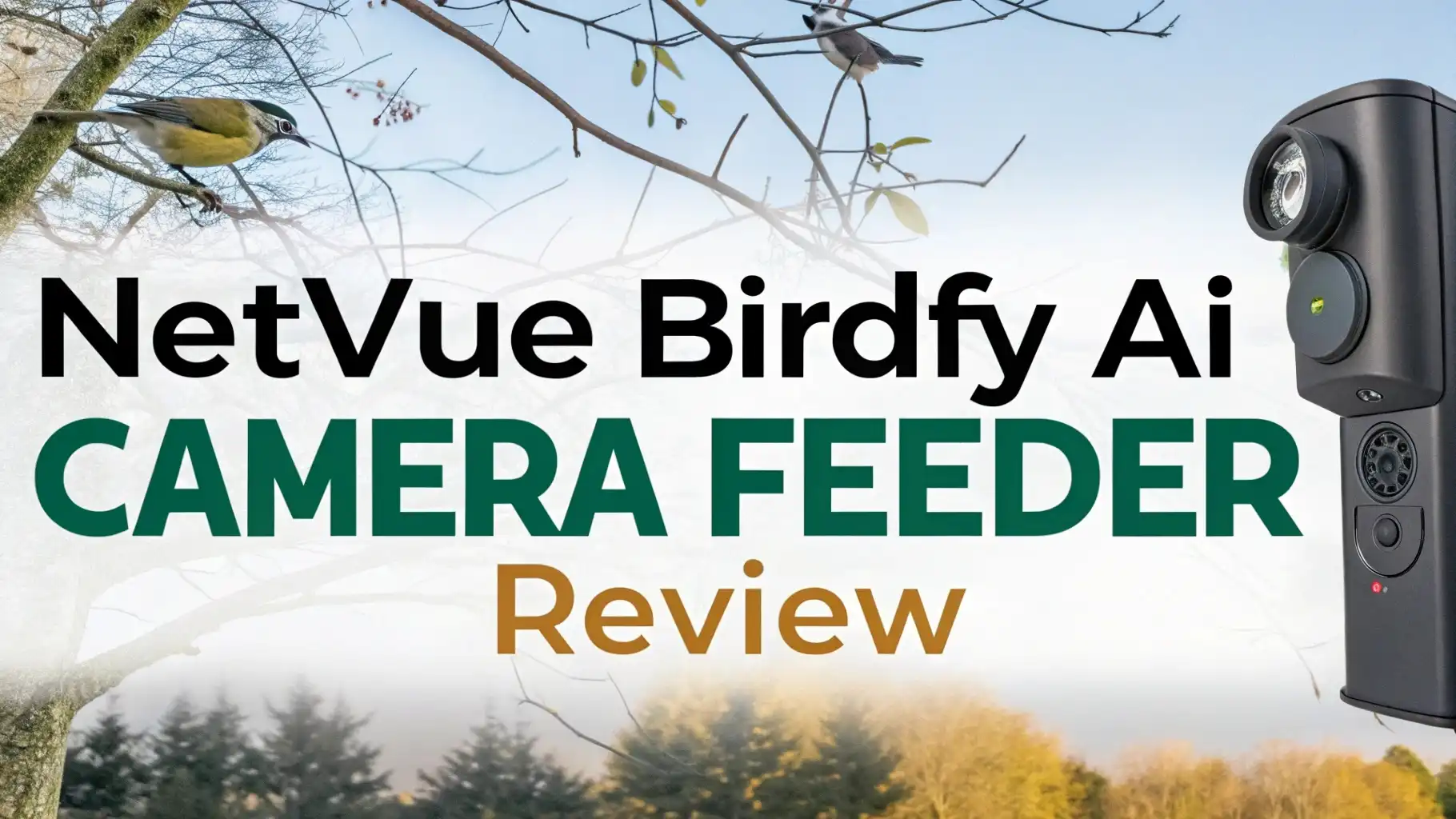
Netvue Birdfy AI Camera Feeder Review
The world of backyard bird watching has changed forever. The Netvue Birdfy AI Camera Feeder brings cutting edge technology to your outdoor space. This smart bird feeder combines a high definition camera with artificial intelligence to create an amazing bird watching experience. You no longer need to sit by your window for hours waiting for birds to arrive.
The Birdfy system does all the work for you. It captures every visitor automatically and sends alerts straight to your phone. This comprehensive review explores everything you need to know about this innovative device. We will examine its features, performance, setup process, and real world usage. Whether you are a seasoned bird enthusiast or just starting your bird watching journey, this review will help you decide if the Birdfy is right for you.

Key Takeaways
Quick Overview of the Netvue Birdfy AI Camera Feeder:
• Advanced AI Technology identifies over 6,000 bird species automatically with impressive accuracy, sending you instant notifications when feathered visitors arrive at your feeder
• 1080P HD Camera with full color night vision captures crystal clear videos and photos during both day and night, ensuring you never miss a single moment of bird activity
• Solar Powered Design with a 5000mAh rechargeable battery provides up to 6 months of continuous operation without needing frequent recharging or battery replacements
• Easy Installation takes just minutes with multiple mounting options including wall mount, pole mount, and tree straps to fit any backyard setup perfectly
• Cloud Storage and AI Features require an optional subscription at $4.99 per month, though basic live viewing and motion alerts work completely free without any subscription
• 50 oz Seed Capacity means less frequent refilling while the weatherproof IP65 design ensures reliable performance in all weather conditions year round
What Makes the Netvue Birdfy AI Camera Feeder Special

- 【Lifetime Free AI + Smart Camera for Birds】 Spot a Cardinal in your yard? The built-in smart camera auto-captures it, and our AI instantly IDs it...
- 【650K+ Users Love This Outdoor Smart Feeder】 Over 650,000 bird lovers rely on this NETVUE classic feeder by Birdfy for outdoor use. Join the...
- 【Free3-Month Cloud Storage】 When a cardinal stops by, the smart camera saves its video clips to the cloud for 3 monthsfree. Pair with...
The Netvue Birdfy stands out in the smart bird feeder market for several important reasons. First, it uses powerful AI technology that can identify more than 6,000 different bird species. This database covers birds from all around the world. The system works incredibly fast too. Within seconds of a bird landing on the feeder, you receive an alert with the species name. Many users report that the identification accuracy is excellent. The AI learns and improves over time, which means it gets better at recognizing birds the more you use it.
The camera quality is another major selling point. The device features a 1080P HD camera that captures stunning detail. You can see the beautiful colors of each bird’s feathers clearly. The wide angle lens ensures you capture the entire feeding area. Nothing happens outside your view. The camera also includes infrared and white light night vision modes. This means you get clear footage even when the sun goes down. Many nocturnal birds visit feeders at dusk and dawn. The Birdfy ensures you capture these special moments too.
The build quality feels solid and premium. The feeder uses durable materials designed to withstand harsh weather conditions. It has an IP65 weatherproof rating. This means it can handle rain, snow, wind, and extreme temperatures without any problems. The seed bin holds up to 50 ounces of birdseed. This generous capacity means you do not need to refill it every day. Most users find they only need to add seed once or twice per week depending on bird activity in their area.
Understanding the AI Bird Recognition Technology
The heart of the Birdfy system is its advanced artificial intelligence. This technology transforms casual bird watching into an educational experience. When a bird arrives at your feeder, the camera captures its image. The AI then analyzes multiple factors. It examines the bird’s size, shape, color patterns, beak structure, and body proportions. The system compares these features against its massive database of bird species. Within seconds, it provides an identification. The app shows you the bird’s common name, scientific name, and interesting facts about the species.
What makes this AI particularly impressive is its learning capability. The more birds visit your feeder, the smarter the system becomes. It starts to recognize patterns specific to your location. It learns which birds are common in your area and which ones are rare visitors. This helps improve identification speed and accuracy over time. The AI also considers seasonal patterns. It knows which birds migrate and when they typically appear in different regions.
The subscription based AI service costs $4.99 per month. Some users wonder if this cost is worth it. The answer depends on your level of interest in bird watching. If you simply want to see birds on camera, you can use the basic features without paying. However, the AI identification adds significant value for most users. It turns every bird visit into a learning opportunity. You discover species you never knew existed in your area. Children especially enjoy this educational aspect. The subscription also includes enhanced cloud storage and longer video recording times.
Camera Quality and Video Performance
The video quality of the Netvue Birdfy exceeds expectations for this price point. The 1080P resolution provides sharp, clear images that capture fine details. You can see individual feathers, eye colors, and even small markings that help with identification. The frame rate is smooth enough to capture bird movements without blur. When birds flutter their wings or hop around the feeder, the video remains clear and easy to watch.
The camera performs well in various lighting conditions. During bright sunny days, the image is vibrant and colorful. The exposure balances nicely even with harsh shadows. On overcast days, the camera adjusts automatically to maintain good visibility. This automatic adjustment works seamlessly. You never need to fiddle with settings or make manual changes. The system handles everything for you.
Night vision deserves special attention because it works exceptionally well. The Birdfy offers two night vision modes. The infrared mode uses invisible light to illuminate the feeding area. This creates black and white footage that is very clear. The white light mode is even more impressive. It uses gentle LED lights to provide full color night footage. Many birds visit feeders during early morning or late evening hours. The color night vision captures these moments beautifully. You can see all the natural colors of the birds even in dim light conditions.
The wide angle lens captures the entire feeding area in one shot. The viewing angle is approximately 120 degrees. This means you see birds approaching the feeder, sitting on the perch, and flying away. You never miss any of the action. Some competing feeders have narrow camera angles that only show the front of the feeder. The Birdfy’s wider view provides much better context and more interesting footage.
Installation and Setup Process
Setting up the Netvue Birdfy is remarkably simple and straightforward. Most users complete the entire process in less than 30 minutes. The feeder arrives partially assembled. You only need to attach the perch and roof sections. The instructions are clear with helpful diagrams. Even people who consider themselves not technically skilled find the assembly easy.
The package includes multiple mounting options. You get hardware for three different installation methods. The wall mount bracket works great if you want to attach the feeder to your house, shed, or fence. The pole mount adapter lets you place the feeder on a standard shepherd’s hook or pole. The tree straps provide a flexible option for mounting the feeder on a tree trunk or branch. This variety of mounting options means the Birdfy works in almost any backyard setup. You can choose the location that gives you the best view and attracts the most birds.
Connecting to WiFi is the next step. The Birdfy uses a 2.4GHz WiFi connection. This is standard for most smart home devices. The app guides you through the connection process step by step. You download the Birdfy app from the Apple App Store or Google Play Store. The app interface is clean and user friendly. Even first time smart device users navigate it easily. You scan a QR code on the feeder with your phone. Then you enter your WiFi password. The feeder connects to your network automatically. The entire WiFi setup takes just a few minutes in most cases.
One important setup consideration is camera placement. You want to position the feeder where it gets good WiFi signal. Also consider the viewing angle. Place the feeder where birds feel safe but you can also see it from your house windows. Birds prefer feeders near trees or bushes where they can perch before and after feeding. Avoid placing it too close to windows where birds might fly into the glass.
Top 3 Alternatives for Netvue Birdfy AI Camera Feeder

- 🤩Looking for the perfect gift? This is it!! Introducing our intelligent bird feeder camera—a truly thoughtful and eye-catching gift idea for any...
- 【Never Miss a Bird in 2K Clarity】Experience birdwatching like never before. Capture stunning 2K HD videos with a 160° wide-angle lens, ensuring...
- 【AI Bird Identification & Free Trial】Discover nature with our AI, recognizing over 11,000 bird species. Enjoy a 30-day free trial, then continue...

- Advanced AI Bird Recognition & Real-Time Alerts: Homiefans bird feeder with camera identify over 10,000 bird species worldwide with our advanced AI...
- 2.5K High-Definition 130° Wide-Angle Bird Camera: Enjoy crystal-clear, close-up views of your feathered friends with the 2.5K HD camera bird feeder....
- All-in-One Design with Large Capacity & Solar Power: This smart bird feeder features a bird bath and bird standing stands, creating a complete...

- 2K HD Live View with AI Bird Identification: Watch vibrant feather details in crystal-clear 2K resolution day or night! our smart bird feeder with...
- Solar Powered & Weatherproof: 3W solar panels + 5000mAh battery keep this solar bird feeder running 365 days/year. IP65 waterproof design withstands...
- Cloud Storage & Multi-User Sharing: Save 3 days free in the cloud (3-day loop,2-year trial) or expand with a SD card(up to 128GB,not included)....
Battery Life and Solar Panel Performance
The power system of the Birdfy impresses many users. The built in battery has a capacity of 5000mAh. This large battery provides excellent runtime. On a full charge, the feeder operates for several weeks depending on bird activity. More bird visits mean more video recording, which uses more power. However, even with heavy use, the battery lasts an impressively long time.
The solar panel adds incredible convenience. It sits on top of the feeder and charges the battery automatically throughout the day. Even on cloudy days, the solar panel generates some power. During sunny conditions, the solar panel can fully sustain the feeder without any battery drain at all. Many users report they never need to manually charge their feeder after the initial setup. The solar power keeps it running indefinitely. This makes the Birdfy truly maintenance free from a power perspective.
If you do need to charge the battery manually, the process is simple. A USB charging port is located on the bottom of the unit. You plug in a standard USB cable and connect it to any USB power adapter. A full charge takes approximately 4 to 6 hours. The LED indicator light shows you the charging status. When the light turns from red to green, you know the battery is full.
The battery performance holds up well in cold weather too. Some electronic devices struggle when temperatures drop. The Birdfy battery maintains good performance even in winter conditions. Users in northern climates report reliable operation throughout the year. The solar panel continues to charge the battery even when covered with light snow. However, if heavy snow accumulates, you might need to brush it off to restore solar charging efficiency.
Bird Detection and Alert System
The motion detection system works exceptionally well. The Birdfy uses advanced sensors to detect when birds approach the feeder. The sensitivity is adjustable through the app. You can set it to trigger only when birds land on the perch. Or you can set it more sensitive to detect birds flying near the feeder. This flexibility helps reduce false alerts from leaves, branches, or other movements.
When a bird is detected, several things happen automatically. First, the camera immediately begins recording video. The recording length is adjustable. You can set it to record anywhere from 10 seconds to several minutes. Most users find that 20 to 30 second clips work best. This captures the entire bird visit without creating overly long files. The system saves these video clips automatically. You can watch them later through the app.
Second, you receive an instant notification on your phone. The notification includes a thumbnail image of the bird. If you have the AI subscription, the notification also tells you what species was detected. These alerts arrive within seconds of the bird landing. The notification system is reliable and rarely misses a detection. You can customize notification settings too. If you do not want constant alerts, you can set quiet hours. The system will still record videos but won’t send notifications during these times.
The app organizes all your bird videos nicely. It creates a timeline showing when each bird visited. You can scroll through and watch any clip. The AI subscription adds collection features. The system automatically groups videos by species. You can easily see all the videos of cardinals, blue jays, goldfinches, or any other bird. This organization makes it fun to browse your bird watching memories. You can also create favorite collections and share videos with friends and family.
App Features and User Interface
The Birdfy mobile app serves as your command center for the entire system. The app interface uses a clean, modern design. Large icons and clear labels make navigation intuitive. The home screen shows your feeder’s live view. You can tap this at any time to see what is happening right now. The live stream loads quickly with minimal delay. The connection remains stable as long as your WiFi signal is strong.
Below the live view, you find your recent bird videos. These appear as thumbnail images in chronological order. Tap any thumbnail to watch the full video clip. The video player is simple but effective. You get play, pause, and volume controls. You can also download videos to your phone’s storage. This lets you save your favorite bird moments permanently. Many users enjoy sharing these videos on social media or with fellow bird watching friends.
The settings menu gives you control over camera functions. You adjust video quality, recording length, detection sensitivity, and notification preferences. The app also shows battery level and WiFi signal strength. This helps you monitor your feeder’s health at a glance. If the battery gets low, the app alerts you. If the WiFi connection becomes weak, you receive a warning.
The AI features section is particularly interesting. Here you see statistics about your bird visitors. The app tracks how many different species have visited. It shows which birds come most frequently. You see charts displaying bird activity by time of day and day of week. These insights reveal patterns you might never notice otherwise. You learn when birds are most active in your area. Some users discover that certain species prefer morning visits while others come in the afternoon.
Weatherproof Design and Durability
The Netvue Birdfy is built to last outdoors year round. The IP65 weatherproof rating means the feeder handles rain, snow, and humidity without problems. The housing seals tightly to keep moisture away from the electronic components. The camera lens has a protective coating that repels water. Raindrops bead up and roll off instead of obscuring the view.
The materials used in construction feel solid. The plastic housing is thick and rigid. It does not flex or feel cheap. The color options include blue, yellow, and white. These colors hold up well in sunlight without fading quickly. Some users report their feeders look nearly new even after a year of outdoor use. The UV resistant materials prevent the sun damage that affects many plastic outdoor products.
The seed bin design deserves praise. The transparent material lets you see how much seed remains. You know at a glance when it is time to refill. The opening is wide enough to pour seed easily without spilling. The lid closes securely to keep seed dry. The design includes drainage holes at the bottom. If any moisture does get inside, it drains out rather than creating soggy seed. Wet seed can grow mold which is unhealthy for birds. The Birdfy’s drainage system prevents this problem.
The perch is another thoughtful design element. It provides a comfortable landing spot for birds. The curved shape fits bird feet naturally. Birds can grip it easily and feed in a relaxed position. The perch is also removable. You can take it off for cleaning or if you prefer a different style. Some users replace the standard perch with longer ones to accommodate multiple birds at once.
Subscription Plans and Costs
Understanding the subscription options helps you get the most value from your Birdfy. The basic features work without any subscription. You get live viewing, motion detection, and video recording with no monthly fee. The videos save to a MicroSD card that you insert into the feeder. You can watch these videos through the app or by removing the SD card and viewing it on a computer. For many casual users, these free features provide everything they need.
The AI subscription unlocks advanced features. The main benefit is automatic bird species identification. The AI analyzes every bird video and identifies the species. This happens automatically without any effort from you. The subscription costs $4.99 per month when paid monthly. You can also pay annually for $49.99 which saves you about 17 percent. There is even a lifetime subscription option for a one time payment. The lifetime option costs more upfront but saves money if you plan to use the feeder for many years.
The subscription also includes enhanced cloud storage. With the free version, cloud storage is limited. You get about 5GB which stores approximately 60 days of videos. The subscription increases this significantly. You can store months worth of footage in the cloud. Cloud storage is convenient because you can access your videos from anywhere. Even if something happens to your feeder or SD card, your favorite videos remain safe in the cloud.
Another subscription feature is extended video recording. The free version limits clips to shorter durations. The subscription allows longer recordings. You can capture entire bird feeding sessions that last several minutes. This is especially nice when multiple birds visit at once or when birds display interesting behaviors. The longer clips give you more complete footage of each visit.
Seed Capacity and Refilling
The 50 ounce seed capacity is generous for a feeder this size. This translates to approximately 1.5 liters of birdseed. How long this lasts depends entirely on bird activity in your area. If you have many birds visiting daily, you might refill once or twice per week. In areas with fewer birds, the seed can last two weeks or more. The transparent seed bin makes monitoring easy. You can see the seed level without opening the feeder.
Refilling is a straightforward process. You lift the roof section which is hinged at the back. The wide opening makes it easy to pour seed directly from a bag. Very little spillage occurs if you pour carefully. Some users prefer using a funnel or scoop for even cleaner refilling. The hinged design means you do not need to completely remove the top. It stays attached which makes the process quicker and prevents you from setting the roof down on dirty surfaces.
The feeder works with most types of birdseed. Black oil sunflower seeds are popular because they attract many species. Mixed seed blends work well too. Avoid using seed mixes with large amounts of filler ingredients like milo or wheat. Birds often toss these aside creating mess below the feeder. Quality seed attracts more birds and creates less waste. The Birdfy does not have built in seed filters or specialized mechanisms. It is a simple hopper style design which is easy to maintain.
One tip for maximizing seed freshness is to not overfill the feeder. Only add the amount of seed that will be eaten within a week or two. This prevents seed from sitting too long and becoming stale. Old seed loses nutritional value and birds find it less appealing. Keeping the seed fresh attracts more visitors which means more great videos for your collection.
Comparison with Other Smart Bird Feeders
The smart bird feeder market has grown competitive. Several brands offer similar products. Understanding how the Birdfy compares helps you make an informed decision. The most direct competitor is Bird Buddy. Both devices offer similar features including cameras, AI identification, and mobile apps. The Bird Buddy has a slightly different design with a more rounded, modern appearance. Its camera uses a higher resolution sensor but the real world difference in image quality is minimal. Both produce excellent videos.
Price wise, the Birdfy typically costs less than Bird Buddy. The Birdfy usually sells for around $120 to $140. Bird Buddy Pro models cost $180 to $230. For budget conscious buyers, the Birdfy offers better value. The AI subscription costs are similar for both brands. Bird Buddy charges approximately $5 per month, nearly identical to Birdfy’s pricing. Both offer annual and lifetime subscription options too.
Another alternative is SnapFeed and various generic smart bird feeders available on Amazon. These often cost significantly less, sometimes under $50. However, the quality and features vary greatly. Many use lower resolution cameras. The AI identification is often less accurate. The apps tend to be less polished. Customer support can be limited or nonexistent. For serious bird watchers, spending a bit more on a Birdfy or Bird Buddy makes sense. The better quality and more reliable performance justify the higher price.
The Netvue Birdfy wins points for solar power. While some competitors offer solar panels, not all do. Models without solar require more frequent manual charging. The Birdfy’s efficient solar panel and large battery create a genuinely maintenance free power system. This convenience factor is important for many users. You want to enjoy bird watching, not constantly worry about charging batteries.
Best Bird Species Captured by the Birdfy
The Birdfy excels at capturing common backyard birds. Species like Northern Cardinals are frequent visitors. Their bright red plumage looks stunning in the HD videos. The camera captures the vivid color perfectly. Blue Jays are another species that photographs beautifully. Their blue and white markings show crisp detail. Watching Blue Jays on camera reveals their intelligence and personality. They often cache seeds in their throat pouches before flying away.
Smaller birds like chickadees and goldfinches also visit regularly. The camera’s quality ensures you see these tiny birds clearly. American Goldfinches are particularly fun to watch. Their bright yellow color brings joy to any bird watching session. During breeding season, males display their most vibrant plumage. The Birdfy captures this beauty perfectly. House Finches and Purple Finches are also common visitors. The AI helps you learn to distinguish between these similar looking species.
Woodpeckers present a special treat. Downy Woodpeckers and Hairy Woodpeckers both visit seed feeders. Their striking black and white patterns look amazing on camera. Watching them use their strong beaks to crack seeds is fascinating. Red bellied Woodpeckers also visit feeders in many regions. Despite their name, their red head is more prominent than their belly coloring. The camera captures this detail clearly.
During migration seasons, rare and unusual birds may appear. This is when the Birdfy really proves its value. You might capture a Rose breasted Grosbeak, a Baltimore Oriole, or even a rare warbler. The instant alerts mean you know when something special arrives. You can rush to your window for a live view. The AI helps identify these uncommon visitors. You learn about species you might never have noticed otherwise. Many users report that the Birdfy opened their eyes to the incredible diversity of birds in their area.
Night Vision Capabilities in Detail
The night vision features of the Birdfy deserve special attention. Many bird feeders see activity during low light conditions. Dawn and dusk are prime feeding times for many species. Traditional cameras struggle in these conditions. The Birdfy handles them with ease. The infrared mode uses IR LEDs to illuminate the area. This invisible light does not disturb birds or create light pollution. The resulting video is clear black and white footage. You see birds in excellent detail even in complete darkness.
The color night vision mode is even more impressive. White LED lights gently illuminate the feeding area. These lights are not harsh or bright. They provide just enough light for the camera to capture full color video. The colors appear natural, not washed out or artificial. This mode works best during twilight hours. When some ambient light remains, the LEDs supplement it perfectly. The result is gorgeous footage that looks almost like daytime video.
Some birds are primarily crepuscular, meaning they are most active at dawn and dusk. American Woodcocks, for example, perform their spectacular sky dances during these hours. While they do not typically visit feeders, other crepuscular species do. Mourning Doves often feed in early morning. The night vision lets you capture these early risers. Robins also start their day early. With night vision, you can document bird activity that most people never witness.
The automatic switching between day and color night vision works seamlessly. You do not need to manually change modes. The camera’s light sensor detects when illumination drops. It activates the appropriate night vision mode automatically. When daylight returns, it switches back to normal color mode. This automation ensures you never miss footage due to changing light conditions. The system handles everything intelligently in the background.
Cleaning and Maintenance Requirements
Keeping your Birdfy clean is important for both bird health and camera performance. Bird feeders can accumulate seed hulls, droppings, and debris. Regular cleaning prevents mold growth and disease transmission. The Birdfy is reasonably easy to maintain. The smooth surfaces wipe clean without much effort. You should clean the feeder every two to four weeks depending on usage.
Start by emptying any remaining seed. Discard old seed rather than trying to reuse it. Remove the seed bin from the main housing. Most models allow you to detach this section easily. Wash the seed bin with warm soapy water. Use a mild dish soap. Avoid harsh chemicals or abrasive cleaners that might scratch the plastic. A soft brush or sponge works well for scrubbing. Rinse thoroughly to remove all soap residue. Let everything dry completely before refilling with fresh seed.
The camera lens requires gentle cleaning. Use a soft, lint free cloth. Microfiber cloths work perfectly. Gently wipe the lens to remove dust, pollen, or water spots. Do not press hard or use paper towels which can scratch the lens coating. If the lens has stubborn spots, slightly dampen the cloth with water. Never spray cleaning solution directly on the camera. This could damage seals and allow moisture inside.
The perch and exterior surfaces benefit from occasional wiping. Bird droppings should be removed promptly. They can be acidic and might damage finishes over time. A damp cloth removes most droppings easily. For stubborn spots, a bit of vinegar solution works well. Vinegar is safe for birds and effective at cleaning. After cleaning, rinse the area with plain water.
The solar panel on top should be kept clear of debris. Dust, leaves, or bird droppings can reduce charging efficiency. Wipe the solar panel gently with a soft cloth. Keep it clean to ensure optimal battery charging. During fall, check frequently for fallen leaves that might cover the panel. In winter, brush off snow accumulation.
WiFi Connectivity and Range
The Birdfy requires a stable WiFi connection to function optimally. It uses 2.4GHz WiFi networks. This is the older but more widespread WiFi standard. Most routers support 2.4GHz along with newer 5GHz networks. The 2.4GHz band has better range and penetrates walls more easily. This makes it ideal for outdoor devices. However, you need to ensure your feeder location receives adequate signal strength.
Before installing your feeder, check the WiFi signal in the intended location. Use your smartphone to verify you get decent WiFi reception there. Walk to the spot where you plan to mount the feeder. Check your WiFi signal bars. If you have strong signal on your phone, the feeder should connect well. If the signal is weak, consider placing the feeder closer to your house or router.
If you have a large property, WiFi range might be a concern. Several solutions can help. WiFi range extenders boost your network’s coverage area. These devices plug into outlets and repeat your WiFi signal. Place an extender between your router and the feeder location. This creates a stronger signal path. Mesh WiFi systems also work excellently. These replace your single router with multiple nodes that blanket your home and yard in WiFi coverage.
Once connected, the Birdfy maintains its connection reliably. Occasional disconnections can occur if your internet service has outages. The feeder automatically reconnects when service restores. If your router reboots, the feeder reconnects automatically. You rarely need to manually intervene. The connection status shows in the app. If you experience persistent connection problems, the app’s troubleshooting guide helps diagnose the issue.
The live video stream requires decent WiFi bandwidth. The 1080P video uses approximately 2 to 4 Mbps. Most modern internet connections handle this easily. If you have very slow internet or many devices streaming simultaneously, you might experience buffering. The app allows you to reduce video quality to lower bandwidth usage. Dropping to 720P still looks good while requiring less data. This helps if bandwidth is limited.
Privacy and Data Security Considerations
When adding any connected camera to your property, privacy and security matter. The Birdfy stores video footage both locally and in the cloud. Understanding how your data is handled helps you make informed decisions. Local storage uses a MicroSD card inside the feeder. You control this card completely. The footage remains on the card until you delete it or the card fills up. When full, the system overwrites the oldest videos automatically. This local storage is entirely private. Only someone with physical access to your SD card can view these recordings.
Cloud storage introduces internet based data storage. Your videos upload to Birdfy’s servers. This enables convenient access from anywhere through the app. Birdfy uses encrypted connections to transmit data. This encryption prevents unauthorized interception during transmission. The videos stored on Birdfy’s servers are also protected. Access requires your account login credentials. Use a strong, unique password for your Birdfy account. Enable two factor authentication if available. These steps significantly improve account security.
Birdfy’s privacy policy outlines how they use your data. They primarily use video footage to provide the service you requested. The AI analysis requires processing your videos to identify birds. This processing happens on their servers. Birdfy states they do not sell your personal videos to third parties. However, always review the current privacy policy on their website. Policies can change over time. Understanding your rights and their practices is important.
One privacy consideration is camera placement. Point your Birdfy at your property, not neighboring properties. Avoid angles that might capture your neighbor’s windows or private spaces. While the feeder is intended for bird watching, respect others’ privacy. Position it thoughtfully. Most backyards have suitable locations that do not create privacy concerns.
For users particularly concerned about privacy, use local storage only. Skip the cloud subscription. This keeps all footage on your SD card under your complete control. You sacrifice some convenience but gain maximum privacy. This approach works well if you primarily watch videos at home through the app’s local connection rather than accessing footage remotely.
Attracting More Birds to Your Birdfy
Getting great footage depends on attracting birds to your feeder. Location plays the most critical role. Birds prefer feeders near natural cover. Place your Birdfy within 10 to 15 feet of trees or large shrubs. This gives birds a safe perch where they can survey the area before approaching. It also provides quick escape routes if predators appear. Birds feel more comfortable feeding when cover is nearby.
Avoid placing feeders too close to windows. While this gives you a nice view, it creates a collision hazard. Birds might not see the glass and fly into windows. If window placement is your only option, use window decals or screens to make the glass more visible to birds. The ideal distance is at least 10 feet from windows.
Seed selection significantly impacts which birds visit. Black oil sunflower seeds attract the widest variety of species. Almost all seed eating birds enjoy them. They have high fat and protein content which birds need. Nyjer seed attracts finches specifically. Safflower seed appeals to cardinals while discouraging squirrels. Mixed seed blends work well but choose quality mixes. Cheap mixes contain filler seeds that birds ignore. These create waste without adding value.
Keep seed fresh. Birds prefer fresh seed over stale. Purchase seed in quantities you will use within a month or two. Store extra seed in airtight containers. This prevents moisture absorption and pest infestations. Rodents and insects are attracted to birdseed. Proper storage protects your investment and ensures birds get nutritious food.
Water sources near your feeder increase bird activity. Birds need water for drinking and bathing. A simple bird bath placed 15 to 20 feet from the feeder works perfectly. Keep the water fresh and clean. Change it every few days. During winter, heated bird baths prevent freezing. The combination of food and water makes your yard highly attractive to birds. You will see increased visits and more diverse species.
Be patient when starting. Birds need time to discover new feeders. It might take days or even weeks before regular visitors appear. Once a few birds find your feeder, word spreads. Birds observe each other. When one bird visits a safe food source, others notice and investigate. Activity gradually increases. After a month or two, you should have regular daily visitors.
Common Issues and Troubleshooting
Most users enjoy trouble free operation but occasional issues can arise. The most common problem is WiFi connectivity. If your feeder stops connecting, several factors might be responsible. First, check your internet connection. Verify that your home WiFi is working by testing other devices. If your internet is down, the feeder cannot connect. Once internet service restores, the feeder should reconnect automatically.
If internet works but the feeder will not connect, try power cycling. Turn off the feeder, wait 30 seconds, then turn it back on. This simple step resolves many connection issues. If problems persist, you might need to reset the WiFi settings. The app includes a WiFi reset option. This clears the old connection and lets you set up WiFi fresh. Follow the initial setup process again to reconnect.
Battery drain faster than expected can occur in some situations. If your feeder drains quickly, examine bird activity levels. Very high activity means more video recording which consumes more power. This is normal behavior. If activity is normal but battery drains fast, check the solar panel. Ensure it is clean and receiving direct sunlight for several hours daily. Even partial shade can significantly reduce charging efficiency. Reposition the feeder if needed to get better sun exposure.
SD card errors occasionally happen. If the app reports SD card problems, try removing and reinserting the card. Ensure the card is properly seated in the slot. If errors continue, the card might be corrupted. Try formatting the card using your computer. Back up any videos you want to keep first. After formatting, reinsert the card. If a card repeatedly fails, it might be defective. Replace it with a new high quality card. Use Class 10 or UHS Speed Class cards for best performance.
Birds not visiting the feeder frustrates some users. This usually is not a feeder problem but a location or food issue. Review the placement guidelines discussed earlier. Ensure the feeder is near cover but not too hidden. Check your seed quality and freshness. Try different seed types to see if preferences vary in your area. Give birds adequate time to find the new feeder. Patience often solves this issue.
Camera image quality problems can occur if the lens gets dirty. Bird droppings, pollen, or water spots on the lens blur footage. Clean the lens regularly with a soft cloth. Check it especially after rain storms. A clear lens ensures you get the beautiful footage the camera is capable of producing.
Value for Money Assessment
Evaluating whether the Birdfy offers good value requires considering multiple factors. The initial purchase price typically ranges from $120 to $140. This positions it in the mid range of smart bird feeders. Cheaper alternatives exist but often sacrifice quality or features. More expensive options like high end Bird Buddy models cost significantly more without providing dramatically better performance. The Birdfy hits a sweet spot between affordability and capability.
The optional AI subscription adds ongoing cost. At $4.99 monthly, it totals about $60 annually. Over several years, subscription costs exceed the initial hardware cost. Whether this is worthwhile depends on how much you value automatic bird identification. For dedicated bird watchers, the AI features enhance the experience significantly. Casual users might find the free features adequate without paying for the subscription.
Compared to traditional bird watching, the Birdfy offers unique value. Traditional bird watching requires time sitting by windows or outside. You might wait hours to see interesting birds. The Birdfy works 24/7 capturing every visitor. You review highlights at your convenience. This time saving aspect has real value. You enjoy bird watching without the time commitment traditional methods demand.
The educational value is substantial, especially for families with children. Kids get excited seeing different bird species. The AI teaches them bird names and facts. This hands on learning about nature is priceless. The Birdfy brings wildlife education into your home effortlessly. Teachers even use these devices for classroom nature lessons.
Durability impacts long term value. If the Birdfy lasts many years, the cost per year becomes quite reasonable. User reports suggest good durability. Many users report reliable operation for multiple years. The weatherproof construction and quality materials support long term outdoor use. Occasional cleaning and maintenance keep it working well. Unlike consumable hobbies, this one time purchase provides years of enjoyment.
The entertainment value cannot be overstated. Users report watching their bird videos daily. It becomes a delightful routine. Starting your morning coffee while reviewing overnight bird visits brings simple joy. Sharing videos with family and friends creates social connections. The ongoing entertainment value far exceeds many other purchases in a similar price range.
What Do You Think About the Netvue Birdfy
Does the Netvue Birdfy live up to its promises? Absolutely. This smart bird feeder delivers on its core functions beautifully. The camera quality is excellent. The AI identification works accurately. The solar power system provides convenient maintenance free operation. Setup is simple enough for anyone. The app functions reliably with a clean interface. For the price point, the Birdfy offers impressive overall performance.
The device truly transforms the bird watching experience. You gain appreciation for the bird diversity in your area. Species you never noticed suddenly become regular visitors you know by name. The instant alerts create exciting moments when rare birds appear. Reviewing your day’s footage becomes a pleasant daily ritual. The Birdfy makes bird watching accessible to people who do not have time for traditional observation methods.
Certain limitations exist. The subscription model for AI features bothers some users. While optional, the AI is the device’s most compelling feature. Having it behind a paywall feels frustrating to some. However, the subscription cost is reasonable compared to other hobbies. A single month’s subscription costs less than one lunch at a restaurant. For the value provided, most users find it acceptable.
The device works best for people with decent WiFi coverage in their yard. Those with weak WiFi or very large properties might experience connectivity challenges. WiFi extenders solve this but add extra cost and complexity. If WiFi is truly not available in your preferred feeder location, the Birdfy might not be the best choice.
For anyone interested in birds, technology, or nature, the Birdfy is highly recommended. It brings joy and education in equal measure. The footage quality ensures you capture memories worth keeping. Bird watching becomes something you can enjoy anytime through your phone. Family members and friends from anywhere can share access. This creates a shared experience that brings people together through appreciation of nature.
FAQ
Does the Netvue Birdfy require a subscription to function?
No, the Birdfy works without any subscription. You get live viewing, motion detection, and video recording completely free. The subscription is optional. It adds AI bird species identification and enhanced cloud storage. Basic functionality works fine without paying anything monthly. Most users eventually choose the subscription because the AI identification is so helpful and entertaining. But you can definitely use the device without it.
How accurate is the AI bird identification feature?
The AI identification is impressively accurate for common species. It correctly identifies birds about 85 to 90 percent of the time according to user reports. The accuracy improves for birds frequently seen in your area. Rare or unusual species sometimes get misidentified. The AI database covers over 6,000 species worldwide. It learns your local birds over time and gets better. Users generally rate the identification as very good, though not perfect. Occasional mistakes happen but they are the exception rather than the rule.
Can multiple people access the same Birdfy feeder?
Yes, you can share access with unlimited family and friends. Each person needs their own Birdfy account. The primary owner shares access through the app settings. The sharing process is simple and takes just a few seconds. All shared users see the same live view and recorded videos. Everyone receives notifications when birds visit. This makes the Birdfy great for families or friend groups who all enjoy birds. Grandparents especially love being able to watch bird feeders at their grandchildren’s homes remotely.
What happens if the SD card fills up with videos?
The system automatically overwrites the oldest videos when the SD card fills. This creates a rolling recording window. The amount of footage stored depends on your SD card size. A 32GB card typically holds about two weeks of videos. A 128GB card stores several months. If you want to keep specific videos permanently, download them to your phone through the app. You can also upgrade cloud storage through the subscription. Cloud storage keeps videos safe even if the SD card fills or fails. The system manages storage automatically so you never need to manually delete files.
Does the Birdfy camera work during power outages?
Yes, the built in battery keeps the Birdfy operating during power outages. However, WiFi typically goes down when power fails unless you have battery backup for your router. Without WiFi, the feeder continues recording locally to the SD card. You cannot view the live feed or receive notifications until WiFi restores. Once power returns, everything reconnects automatically. The solar panel and large battery ensure the camera itself continues functioning regardless of household power status. This makes it quite reliable even during weather events that cause outages.
How do I clean the bird droppings off my Birdfy without damaging it?
Use a soft damp cloth to wipe away droppings. Plain water works for fresh droppings. For dried on messes, a solution of vinegar and water works excellently. Mix equal parts white vinegar and water. This solution is safe for birds and effective at cleaning. Avoid harsh chemicals or abrasive scrubbers that might scratch surfaces. Be especially gentle around the camera lens. Use only a microfiber cloth on the lens itself. Regular cleaning every few weeks prevents buildup. Clean the feeder when you refill the seed. This keeps maintenance simple and routine.
Can I use the Birdfy in freezing winter temperatures?
Yes, the Birdfy operates reliably in winter conditions. The device is rated for use in temperatures well below freezing. Users in northern climates report excellent performance throughout winter. The battery maintains good capacity even when cold. However, solar charging efficiency decreases in winter. Shorter days and lower sun angles mean less solar energy. You might need to manually charge the battery more frequently during winter months. Snow covering the solar panel also stops charging temporarily. Brush snow off when possible. Despite these minor considerations, the Birdfy works great year round.
What types of birdseed work best in the Birdfy feeder?
Black oil sunflower seeds are the most versatile choice. They attract the widest variety of bird species. Almost all seed eating birds enjoy them. Safflower seeds work well too and discourage squirrels. Mixed seed blends are acceptable but choose quality mixes. Avoid cheap mixes full of milo, wheat, or red millet which birds often ignore. Nyjer seed is great for finches but works poorly in hopper feeders because the seeds are very tiny. Stick with sunflower or safflower for best results in the Birdfy. Avoid using peanuts or large nuts which birds might struggle to eat at this feeder style.

Kashvi is a passionate bird enthusiast and nature lover who has been fascinated by the world of birds for years. With a keen eye for detail and a love for learning, Kashvi is dedicated to sharing her knowledge and insights with fellow bird enthusiasts on Avian Enthusiasts. Through her engaging and informative articles, Kashvi aims to inspire others to join her in exploring the fascinating world of birds and to promote a deeper appreciation for these incredible creatures.
